> For the complete documentation index, see [llms.txt](https://docs.truecaller.com/truecaller-sdk/llms.txt). Markdown versions of documentation pages are available by appending `.md` to page URLs; this page is available as [Markdown](https://docs.truecaller.com/truecaller-sdk/android/oauth-sdk-3.2.1/implementing-user-flow-for-your-app.md).
# Implementing user flow for your App
Truecaller SDK is a mobile number verification service, without the need for any OTP whatsoever.
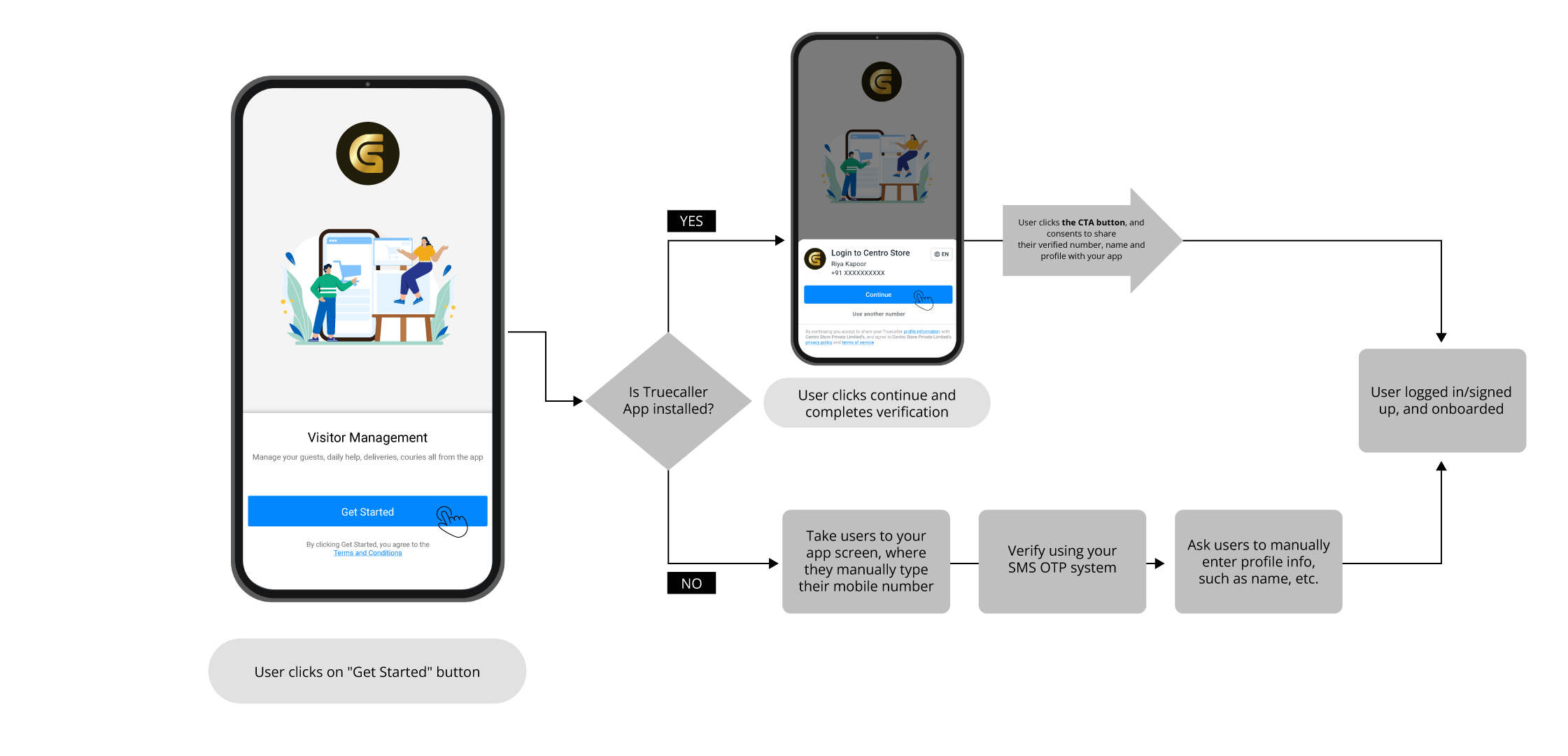
The right way to implement Truecaller SDK in your mobile app, is to invoke mobile number verification via Truecaller at touch points, where you have your users to sign-up/ login/ checkout by verifying their mobile numbers.
Let us now see an example to understand how to effectively use Truecaller SDK at such touch points in your user journey
When mobile apps onboard their users, there are multiple ways in which they address the onboarding process.
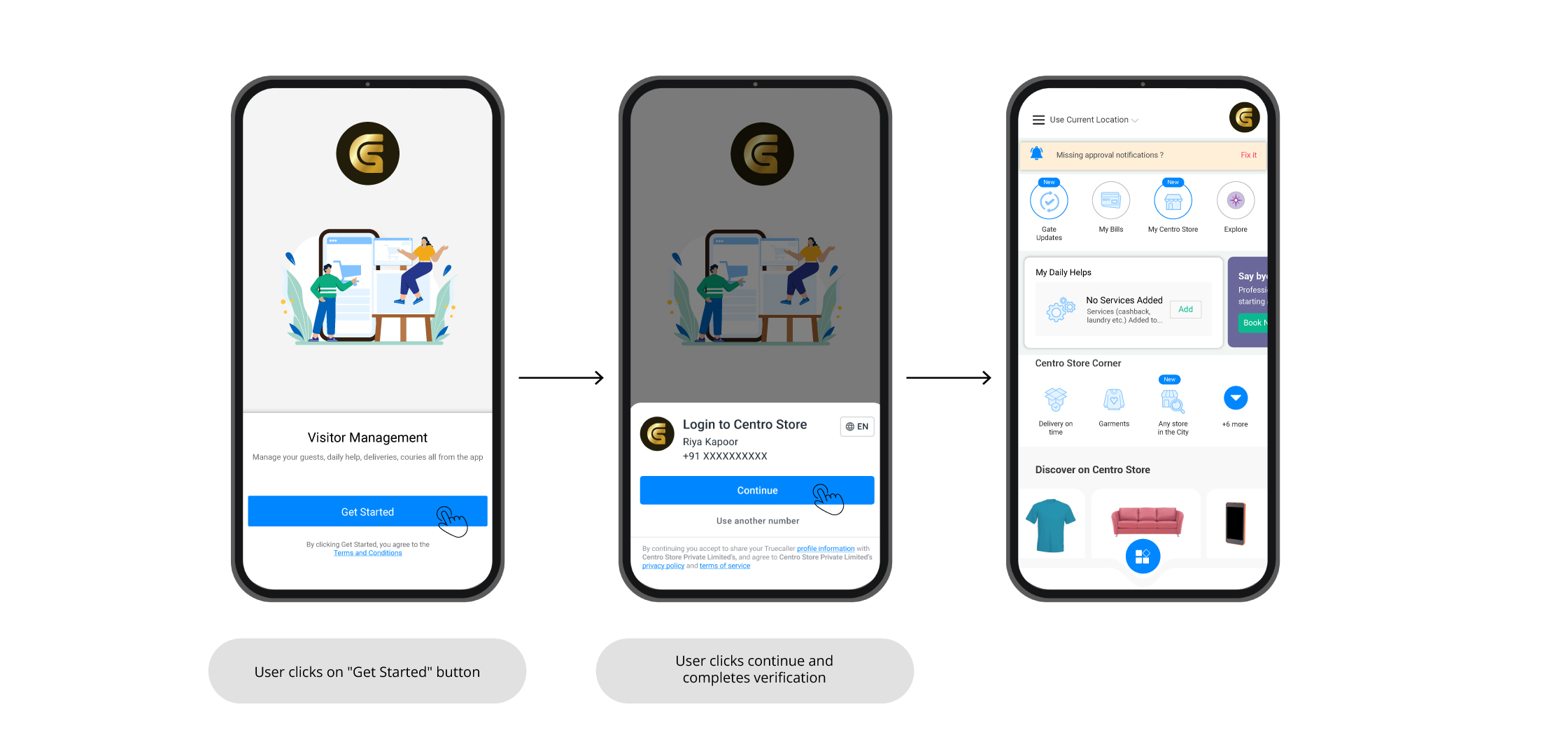
For example, one could address it as Get Started, Join Us, Login, Sign up, etc., shown as a button to the users, clicking which leads to the mobile number based identity verification of users.
Here is such an example from CentroStore - our very own in-house sample app:
**Building for Various Touch points**
*a. Invoking user signup/ login/ verification via Truecaller at app onboarding*
Example: CentroStore - our very own in-house sample app
When mobile apps onboard their users, there are multiple ways in which they address the onboarding process. For example, one could address it as Get Started, Join Us, Login, Sign up, etc., shown as a button to the users, clicking which leads to the mobile number-based identity verification of users. Here is such an example from CetroStore.
*b. Directly invoking verification via Truecaller*
Example : CentroStore - our very own in-house sample app
CentroStore has mobile number as the primary identifier for its users. So as soon as users lands on their mobile number login/ signup screen, it invokes Verification via Truecaller, and onboards it’s users within seconds in just 1-tap.
*c. Performing user verification at checkout*
Example : CentroStore - our very own in-house sample app
CentroStore also allows users to browse through it’s app and check for bus ETAs, without needing to sign-up or log-in. However, when users wish to purchase the ticket or travel pass, it requires users to verify their mobile number.
Now that we have gone through and understood how to implement Verification via Truecaller, let’s get started with the SDK integration.