> For the complete documentation index, see [llms.txt](https://docs.truecaller.com/truecaller-sdk/llms.txt). Markdown versions of documentation pages are available by appending `.md` to page URLs; this page is available as [Markdown](https://docs.truecaller.com/truecaller-sdk/android/oauth-sdk-3.0.0/scenarios-for-all-user-verifications-truecaller-and-non-truecaller-users.md).
# Scenarios for all user verifications : Truecaller and Non Truecaller Users
Truecaller SDK enables you to verify your user's mobile number in a seamless way. For users who have the Truecaller app present on their smartphones and are already registered Truecaller users, they get verified in a 1-tap flow (supported globally), without the need of any manual input.
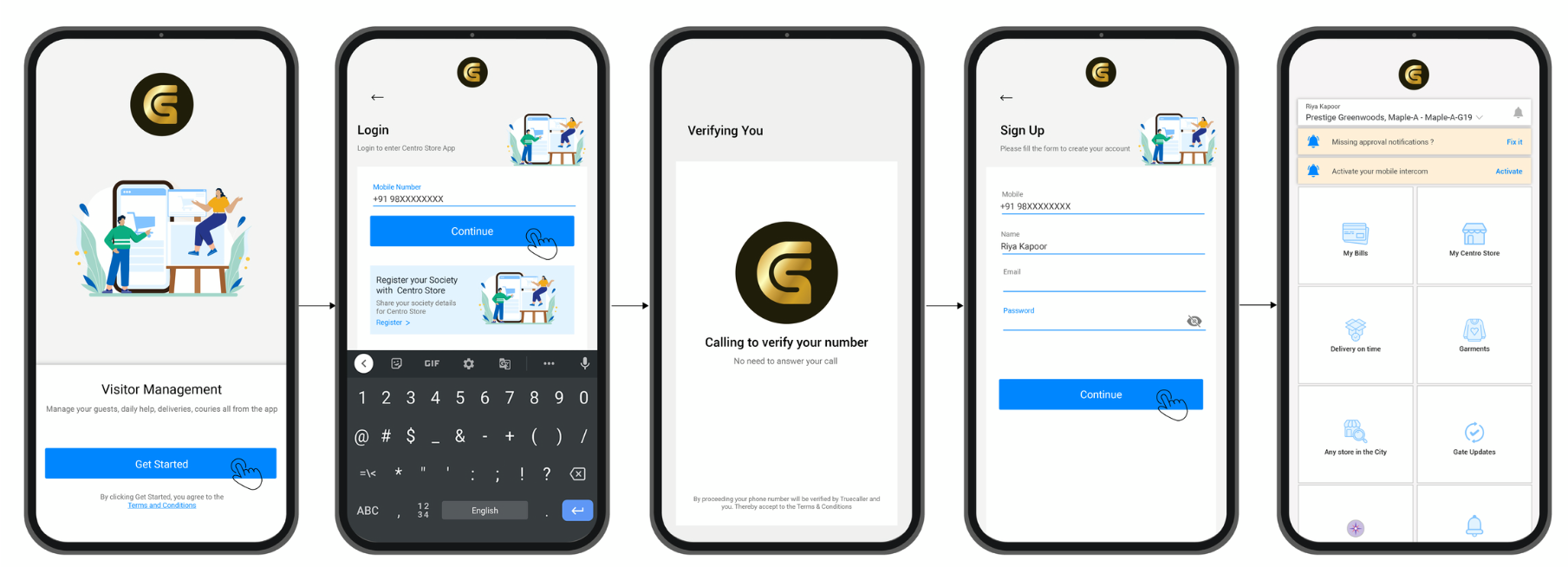
For users who don't have the Truecaller app present on their smartphones, the SDK enables user verification by means of a drop call, which is triggered to the user's number in the background to complete the verification flow (currently supported only for India).
To understand various possible user scenarios in the user's verification flow, let's try to take the example of CentroStore. CetroStore is using Truecaller SDK for verifying the numbers of all their users.
**Scenario 1**
a) New user on CentroStore app and
b) Truecaller app present on user's smartphone
**Scenario 2**
a) Existing user on CentroStore app, and
b) Truecaller app present on smartphone
**Scenario 3**
a) New user on CentroStore app, and
b) Truecaller app NOT present on a smartphone, and user's mobile number NOT already verified on smartphone
**Scenario 4**
a) Existing user on CentroStore app, and
b) Truecaller app NOT present on smartphone and user's mobile number NOT verified on smartphone